
Waveform Monitors
LPX500
Quad 4K-input Waveform Monitor
4K | 12G-SDI | 3G-SDI | HD-SDI | SD-SDI | HDR | IP
Multi-channel Waveform Monitor with Dual-independent displays for Hybrid IP/SDI workflows
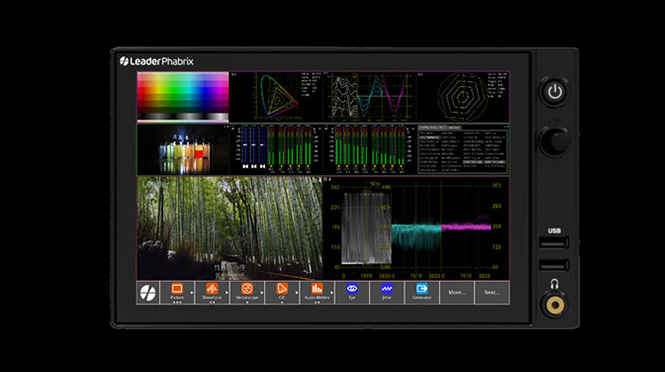
Introducing the LPX500 Waveform Monitor
The LPX500 Hybrid IP/SDI waveform monitor is the first in a powerful new family of video analysis and generation instruments, encompassing next generation technology from the renowned Leader and PHABRIX Test and Measurement brands. The LPX500 offers a bank of four independent analyzers, enabling the simultaneous display and monitoring of up to 4 x 12G-SDI and 2 x 100GE-IP inputs.
A second, compact screen unit can now optionally extend the unit’s local display capabilities, allowing you to control the unit from either physical screen. The second screen is also touch-enabled and supports the same gestures as the primary screen on the main unit. Connection to the second display is over a dedicated USB-C connector. Further remote screen output combinations are also available to output either screen, from either the DisplayPort or SDI Mon BNC display outputs. In addition, dual built-in VNC clients considerably improve the performance of the remote connection to either display over noVNC.
Following the innovative app style interface of PHABRIX instruments, the LPX500 hides the complexity of modern SDI and IP systems providing an uncluttered view of critical information. The enhanced layouts designed for the LPX500 not only extend the available screen real estate but now feature swipe gestures to navigate left or right through configured layouts and precise tap, hold and slide for instrument placement. Multiple screen layouts provide a huge canvas of extended screen real estate enabling you to move smoothly between instrument layouts, optimizing the viewing and touch experience on the unit.

Key features

A completely re-designed, compact form factor for modern workflows
Housed in a fully re-designed and compact form factor, the LPX500 offers an 8-inch touchscreen and short depth, ideal for locations with limited rack space, including OB trucks. An independent second compact 8-inch touchscreen display is also offered via a dedicated USB-C connection. Using its built-in noVNC, the LPX500 also offers fast access to both displays over a remote network.

Supports 4 x 12G-SDI and 2 x 100GE-IP inputs
Supplying a bank of four independent analyzers, the LPX500 enables the simultaneous display of four 4K inputs, HDR and SDR inputs or even SDI and IP inputs. The instrument offers a 10G-IP toolset with dual SDI analyzer support as standard, and advanced Physical Layer Analysis (Eye and Jitter) offered as factory fitted options. The LPX500’s comprehensive feature-set is designed to support SD/HD/3G/6G/12G-SDI, 10GE/25GE/100GE IP interfaces with SD/HD/UHD, SMPTE 2022-6, SMPTE ST 2110-10/20/30/31/40 with ST 2022-7, and AMWA NMOS. Optional software licenses can also be added for SDI/IP AV Test Signal Generation, UHD/4K support, HDR, EUHD (47.95-60p RGB YCbCr 444 formats), 25GE and 100GE IP support.

Up to 100G-IP/12G-SDI Audio & Video Generation and Analysis
Generate and analyze a comprehensive set of SDR/HDR, YCbCr/RGB, HD/3G/6G/12G SDI and HD/3G/6G/UHD/EUHD IP Formats. The LPX500 can simultaneously generate and analyze 1x ST 2110-20 video, 4x ST 2110-30/31 audio and 1x ST 2110-40 ANC. In ST 2022-7 mode, LPX500 compares the video, audio and ANC flows from A & B networks. LPX500 can also generate the instrument display as 1 x ST 2110-20 and 1 x 2110-30 flows for access by remote monitoring locations. The SDI pattern-set offers up to 32 channels of embedded audio per link or subfield (up to 64 channels on 12G interfaces) and core full screen SDI Pathological stress patterns as well as allowing the user to define conventional generator patterns up to full frame.

Powerful enhanced instrument layouts
Enhanced layouts not only extend the available screen real estate but now feature swipe gestures to navigate through configured layouts. Multiple screen layouts provide a huge canvas of extended screen real estate to move smoothly between up to 16 layouts, optimizing the viewing and touch experience on the unit.

Out-of-the-box Video and Audio Analysis & Monitoring Toolset
A brand new RGB Vector Display instrument provides a tool to monitor gamut violations in production environments . Picture view, waveform monitor, vectorscope, 32 channel audio metering, decoded audio channel status information, ANC status and payload, on screen display of OP47 and CEA-608 in 708 closed captions and Ancillary Time Code (ATC), Loudness monitoring, and advanced control and logging with human readable event logs are all provided as standard.

Advanced suite of IP Monitoring Tools
IP media interfaces are provided as standard in the LPX500. This 10G/25G/100G IP enabled waveform monitor supports JT-NM TR 1001-1:2018, 2110-20 (video), 2110-30 n(PCM audio), 2110-31 (AES transport), and 2110-40 ANC media flows all with 2022-7 Seamless Protection Switching, and independent PTP followers on both media ports for fully-redundant media network operation.

Fast, automated 12G-SDI Physical Layer Analysis
The Physical Layer Toolset is a factory-fitted option for fast 12G/6G/3G/HD/SD-SDI physical layer commissioning, testing and development. Its RTE™ (Real-Time Eye) Technology instantly highlights any SMPTE compliance issues and its realtime SDI jitter window provides simultaneous monitoring across five specified frequency bands, With its unique RTE™ (Real-Time Eye) multi-rate physical layer display, and automated SMPTE compliance measurements, the LPX500 offers a single product solution for SDI compliance verification.
Toolsets
Video & Audio Monitoring and Analysis Toolset

Picture Display
- Cursors linked to Waveform and Data View
- Action, graphics and user-definable custom safe areas
- 1/16, 1/4 or full size display

Auxiliary Data Decode
- Closed Captions OP-47, CEA-608 in 708. Support for Danish, English, Finnish, French, German, Italian, Portuguese, Spanish & Swedish
- CEA-708 Closed Caption decoding with EUC_KR Korean text option
- All Closed Caption services can be decode in picture window
- ANC Timecode with OSD
- Date, V-chip, AFD and Input name
- SCTE 104 indication and logging
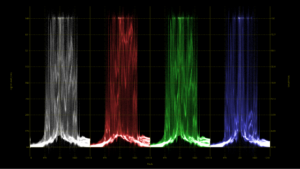
Analyzer: Waveform
- YCbCr, YGBR and GBR display modes
- Cursor linked to Picture and Data View, Single line mode linked to Picture Cursor
- Configurable H and V Graticules
- User markers
- Overlay, Stacked, Parade, Single line, H
- V Mag, Brightness, Persistence and Monochrome controls
- Horizontal or Vertical Measurement cursors

Analyzer: Vectorscope
- 75% and 100% Targets for ITU-R Rec. 709, Rec. 2020 and HDR formats
- Custom 'user markers' linked to Waveform
- Centre on target or custom user markers
- 0.5x to 4x Mag, center on chosen target
- Single line mode linked to Picture Cursor
- Tooltip display of Cb, Cr and Hue Angle

Analyzer: Ancillary Status
- SMPTE ST 291 VANC/HANC ancillary data presence/status window
- Grid View – clear visual overview, present/ absent/fault indication
- List View – ANC present list with location and status information for Checksum, Parity, DBN
- Link to ANC Inspector
- Tool tip provides ST 291 ANC type overview
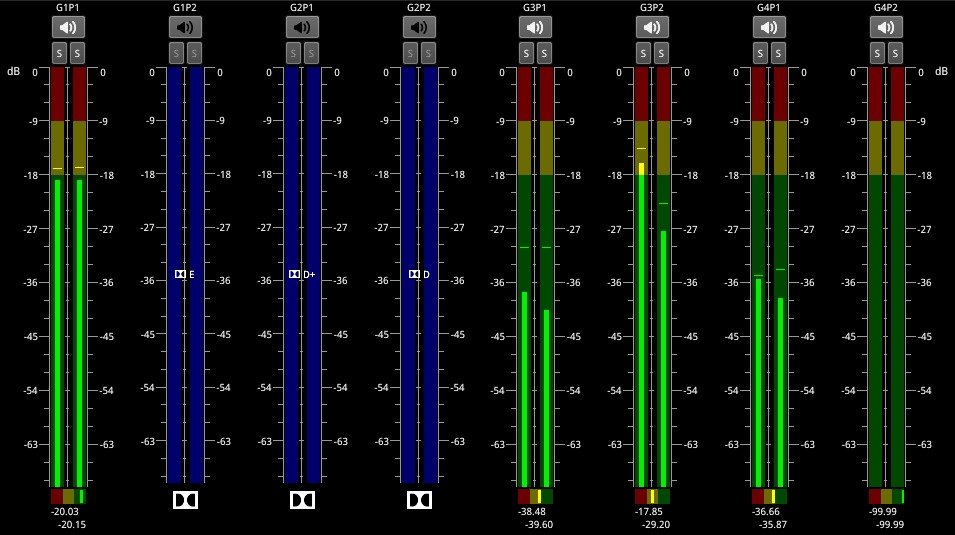
Analyzer: Audio Meters
- In Single layout: 2x meter windows can be opened, each monitoring a block of up to 16 channels, for a total of up to 32 channels
- In Multi layout : 4x meter windows can be opened, each monitoring up to 16 channels , for a total of 64 channels
- 2110 audio group display across up to 4 flows
- Ballistics: PPM-I, PPM-II, Vu, Vu-Fr, Fast
- Scales: dBFS, dBu -18, dBu -20, BBC, DIN45406, NordicN9
- Adjustable peak hold times: Off, 0.1 s to Inf
- Audio pair correlation meters, numerical level
- Detection of Dolby E, ED2, DD, DD+, DE line pos
- Stereo/mono audio preview bus
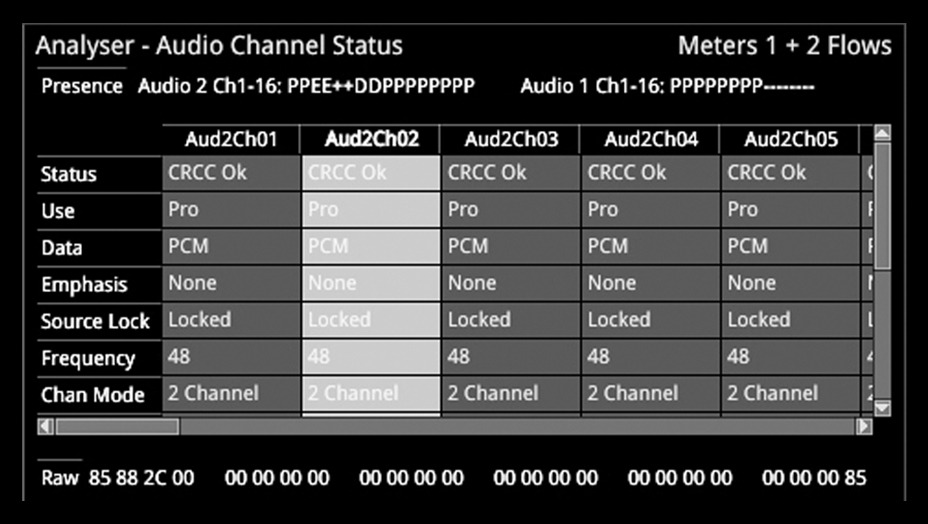
Audio Status
- 32 channel indication of audio type and presence, PCM, Dolby DE, DD, DD+
- Decoded channel status information for up to 32 channels for SDI and 64 channels for IP
- Clear indication of useful audio parameters including CRCC, PCM/data, sample frequency, word length
- Channel Status data view (Hex)
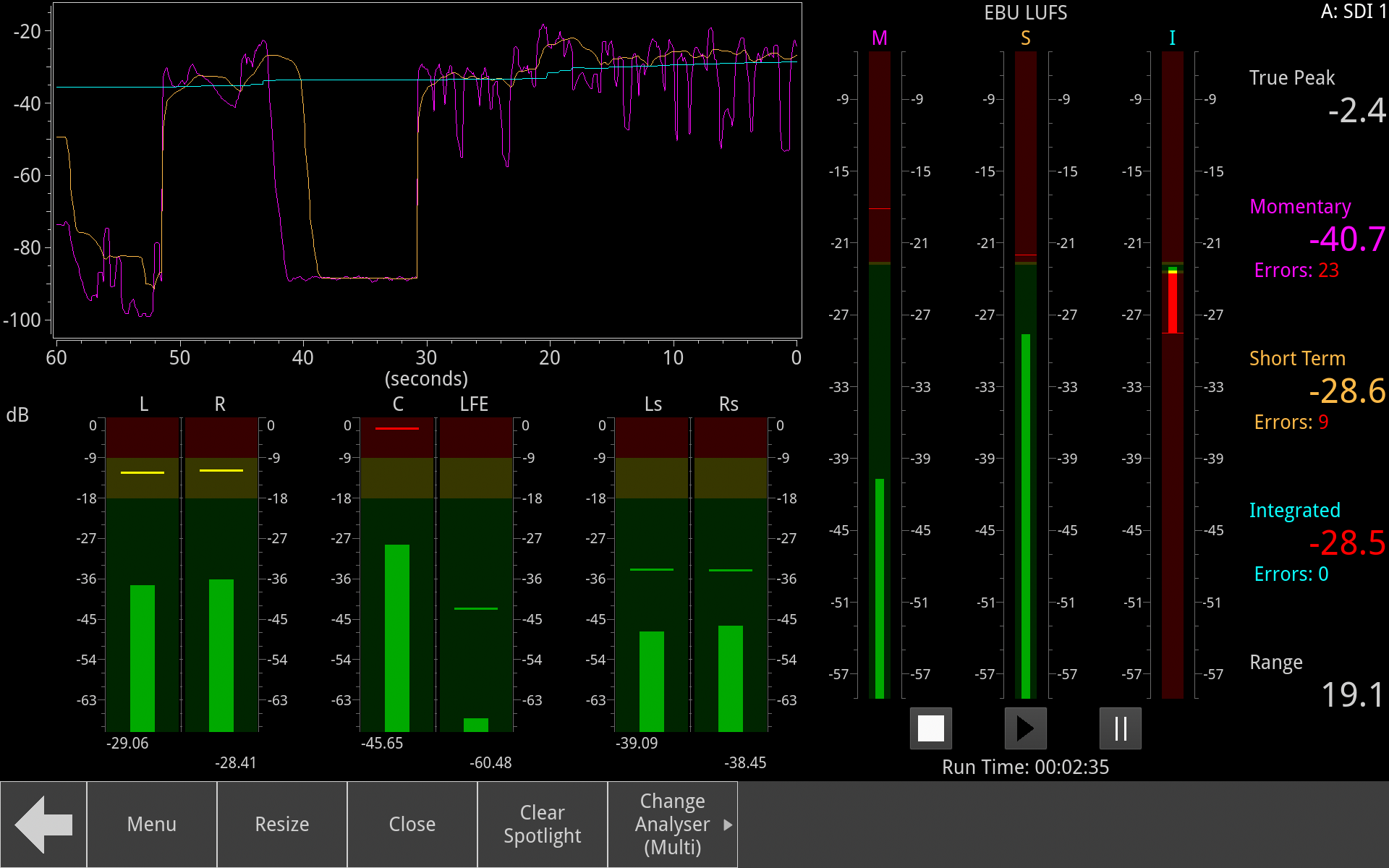
Loudness Monitoring
- EBU R128 and ITU-R BS.1770
- Indicators for true peak, range, momentary, short term and integrated loudness
- User control of integrated, momentary and short term targets
- User-adjustable true peak alarm threshold
- Loudness logging stored automatically
Data View Analyzer with ANC Inspector
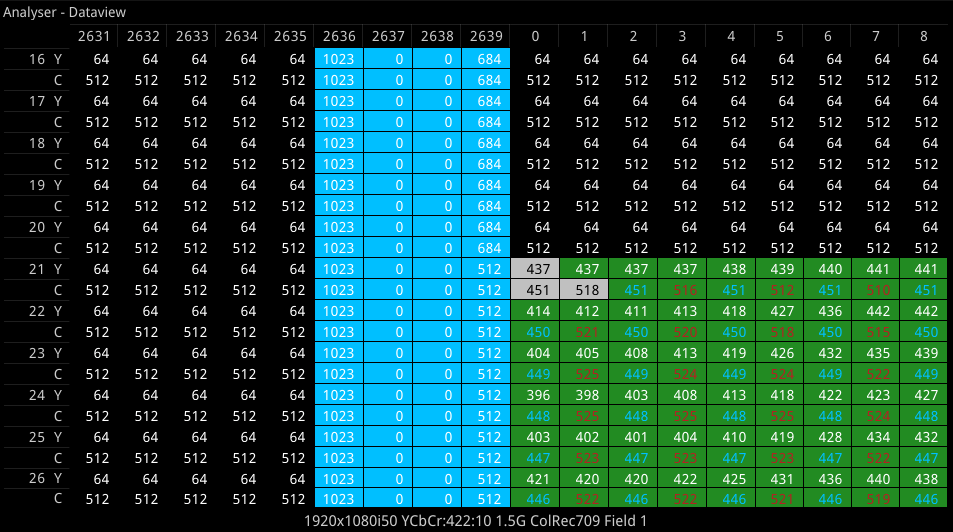
Analyzer: Data View
- Allows analysis of complex faults
- Detailed view of data words in the SDI stream with tooltip hint
- Navigate function for rapid access to a required line, pixel or TRS word
- Color coding to help identification
- Cursor linked to Picture and Waveform

ANC Inspector
- Ancillary data packet analyzer
- Link from ANC Status window
- User-defined DID/SDID windowed search
- Trigger on error, single shot, continuous
- ANC packet capture with Hex view
- ANC packet decode view
IP I/O and Reference Configuration

Video Timing & System Reference (2022-6)
- Measurement of the timing of inputs against reference
- Indication of reference status and stability
- Graphical and numeric display
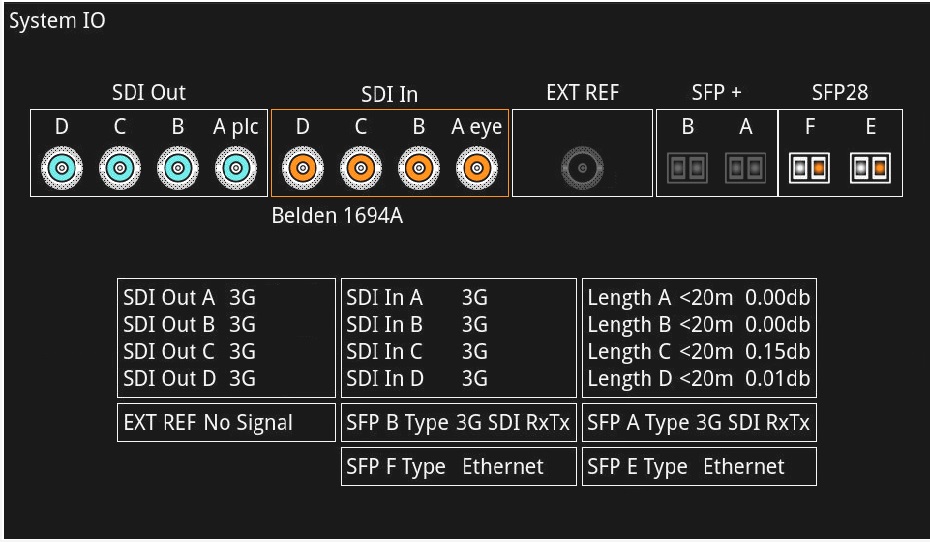
IP System IO
- Shows the status of signal inputs and outputs, external reference, cable length, and connector details
- IP mode: Active IP SFP receive inputs and transmit outputs are indicated
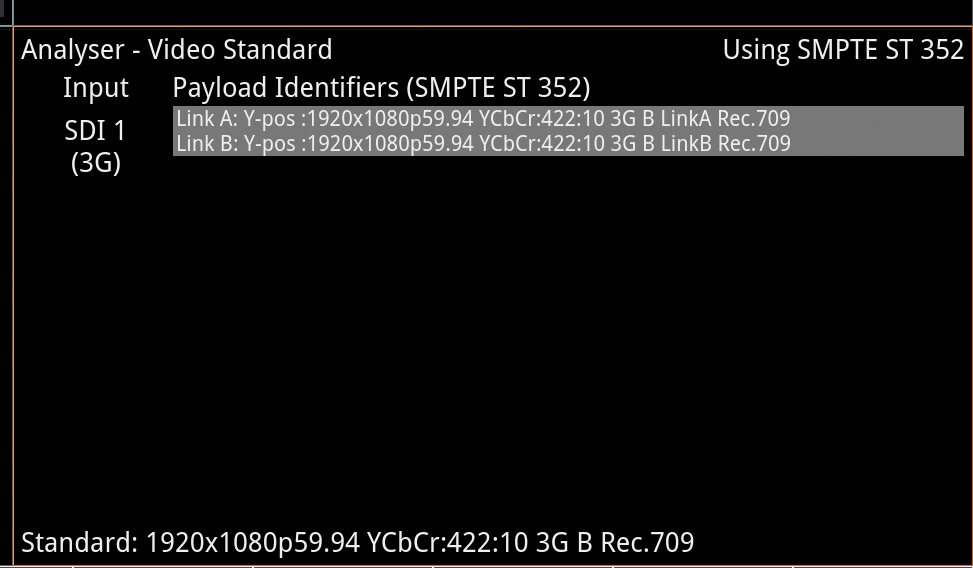
Analyzer: IP Video Standard
- Display of detected SMPTE ST 352 Payload ID for each SDI Link and Subframe
- Manual override of ST 352 ID
- Selection of SMPTE video format
- Indication of ST 352 errors
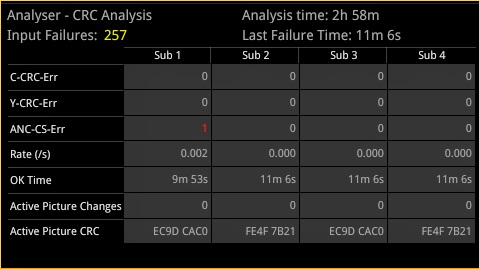
IP CRC Analysis (2022-6)
- Check for CRC errors on Y, C and ANC
- Reporting of the number of SDI input failures, the last failure time, total analysis time and error rates
- Detect active picture changes and view the active picture CRC to observe any changes in the expected active picture CRC value
- SDI switch line CRC masking control, for SMPTE RP168 compliance checking
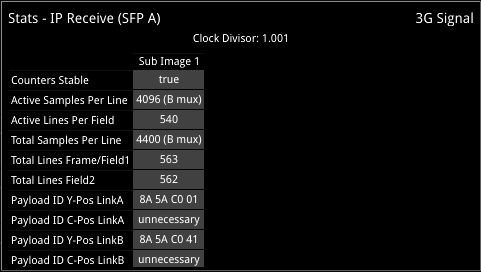
Stats - IP Receive (2022-6)
- Indication of data rate and clock divisor
- Reporting of active and total pixel and line counts
- Y and C payload ID
SDI I/O and Reference Configuration
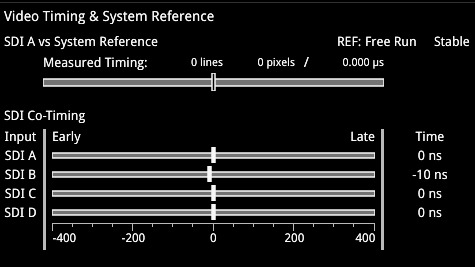
SDI Video Timing & System Reference
- Measurement of the timing of inputs against reference
- Indication of reference status and stability
- Indication of the relative co-timing of input SDI channels
- Graphical and numeric display

SDI System IO
- Shows the status of signal inputs and outputs, external reference, cable length, and connector details
- SDI mode: Select BNC or SFP I/O, cable type, loop through and generator copy outputs
- IP mode: Active IP SFP receive inputs and transmit outputs are indicated
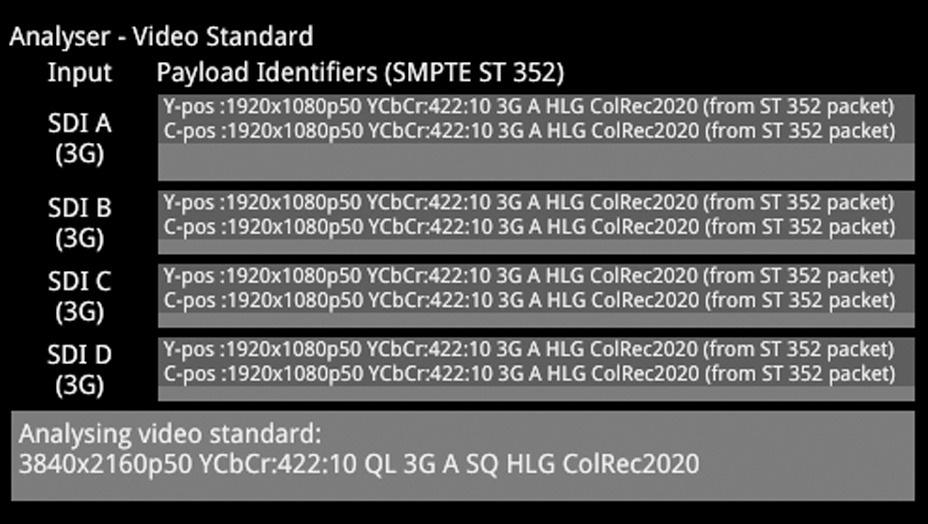
Analyzer: SDI Video Standard
- Display of detected SMPTE S352 Payload ID for each SDI Link and Subframe
- Manual over-ride of S352 ID
- Selection of SMPTE video format
- Indication of S352 errors

SDI CRC Analysis
- Check for CRC errors on Y, C and ANC
- Reporting of the number of SDI input failures, the last failure time, total analysis time and error rates
- Detect active picture changes and view the active picture CRC to observe any changes in the expected active picture CRC value
- SDI switch line CRC masking control, for SMPTE RP168 compliance checking
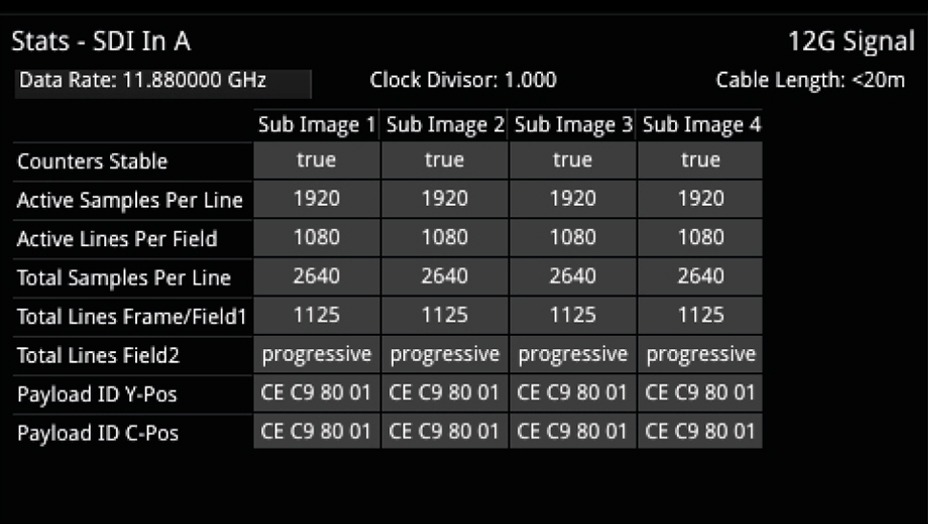
Stats - SDI In
- Cable length indication
- Indication of data rate and clock divisor
- Reporting of active and total pixel and line counts
- Y and C payload ID
ST 2110 and ST 2022-6 Monitoring
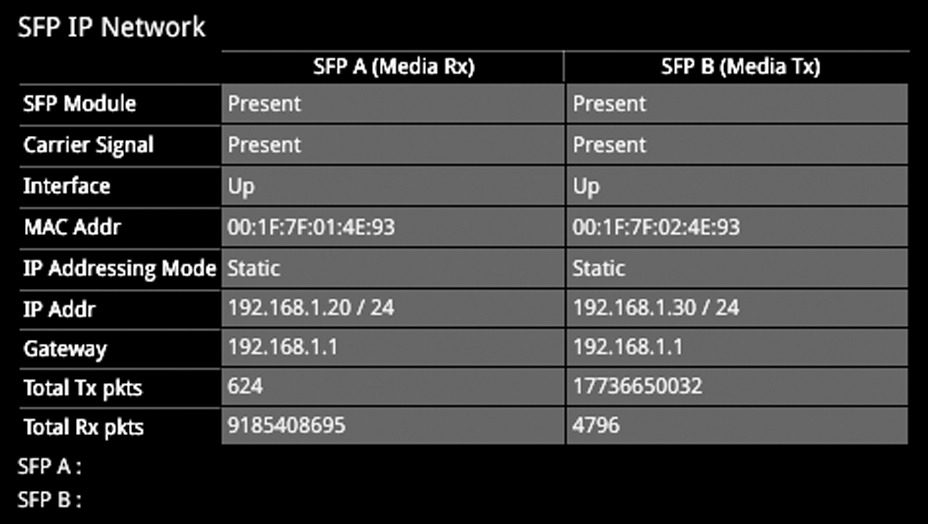
SFP IP Network
- Reporting of presence of SFPs, SFP MAC and IP addresses (flow source IP address), and interface status
- Tx and Rx packet counters for indication of traffic activity
- User configuration of SFP IP Addresses, Masks and Gateway Addresses

SFP Information
- SFP status information for monitoring the physical network connection
- Indication of SFP vendor and laser characteristics
- RX and TX power for debug of fibre connectivity
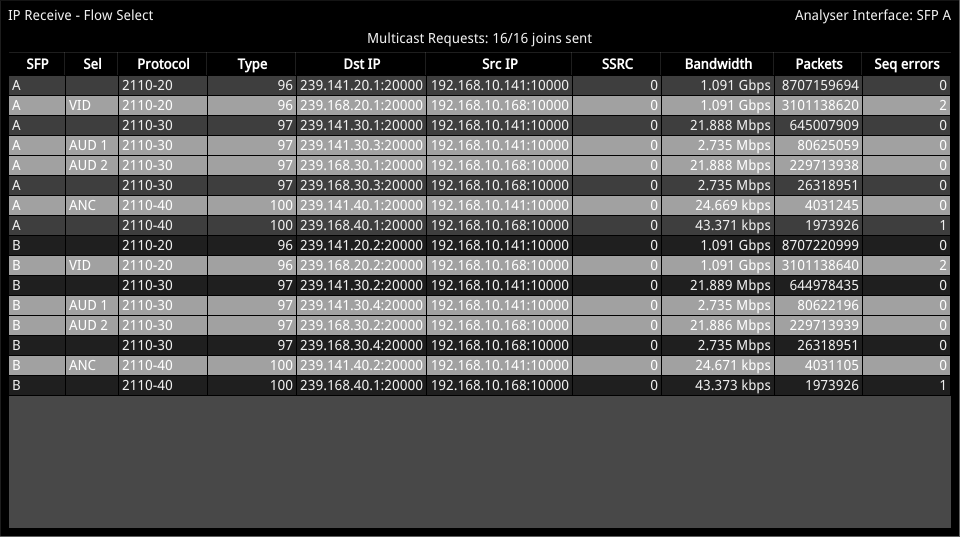
IP Receive Flows
- Reporting of the IP Flows available to the receiver and user selection of the required flows
- Indication of Qx locked status, Protocol, Src and Dst IP and Port Numbers, SSRC, Packet Counts, Sequence, payload and CRC errors
- Configuration of Multicast Destination IP addresses and subsequent Multicast Join requests
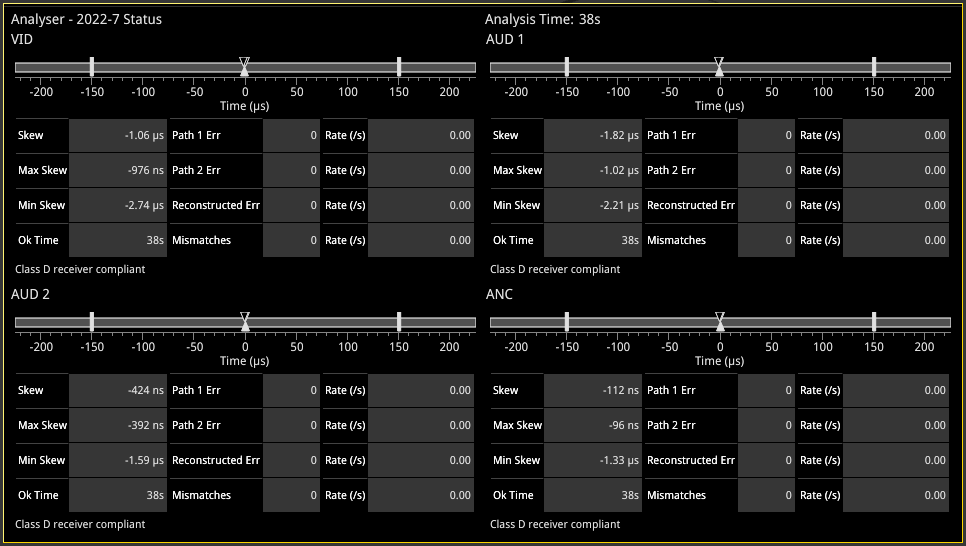
ST 2022-7 Status
- Indication of the health of ST 2022-7 seamless protection
- Warning of ST 2022-7 flow-pair mis-match
- Warnings of errors on flows and errors on reconstructed output and error rates/second
- Relative measure of Path Differential of flows on SFPB (Blue Network) relative to SFPA (Amber Network)
- Class A, B,C, D markers
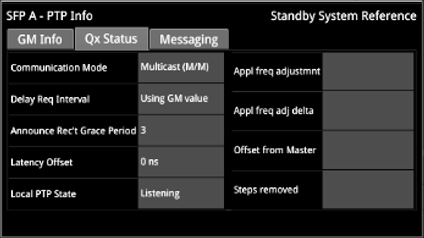
ST 2110 PTP Info
- Control of PTP domain and communication mode (multicast, hybrid w/o negotiation)
- Indication of lock status
- Grandmaster information including master ID and time source
- Indication of estimated frequency and phase lock offsets
- Indication of one step or two step traffic
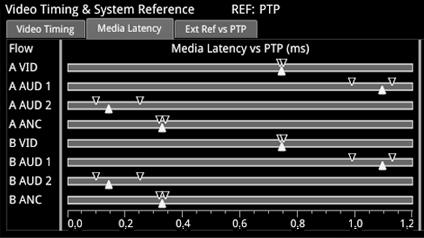
IP Flow Latency
- Indication of media latency
- Relative timing of audio and ANC flows wrt video
- Indication of relationship of underlying media to PTP
- External analog reference timing wrt PTP
AMWA NMOS
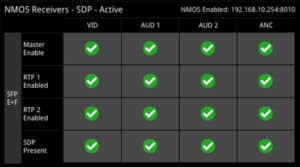
NMOS Receiver Status
- At a glance overview of the state of the receiver Master Enable, RTP Enables and SDP records for each media interface
- Available in 1/16 view - toggles with the SDP view
- Display of the Master, RTP and SDP of all Receiver flows
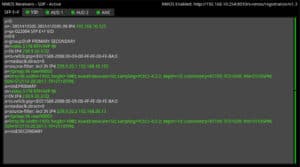
NMOS Receiver SDP
- Display of the active receiver SDP record
- User configurable colour highlighting for improved readability
- Display adapts with NMOS Dual or Single receiver configuration (Dual shown)
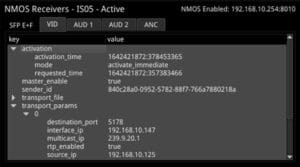
NMOS Receiver IS-05
- Display of the active receiver IS-05 parameters
- Individual tabs for the display of the IS-05 parameters for each receiver flows
- Human readable tree view of the IS-05 JSON with expand/collapse for rapid navigation
- Display adapts with NMOS Dual or Single receiver configuration (Dual shown)
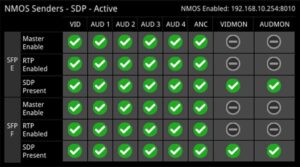
NMOS Sender Status
- At a glance overview of the state of the Sender Master Enable, RTP Enables and SDP records for each media interface
- Available in 1/16 view - toggles with the SDP view
- Display of the Master, RTP and SDP of all Generator flows
- Display of the Master, RTP and SDP status of all monitor GUI Interface flows
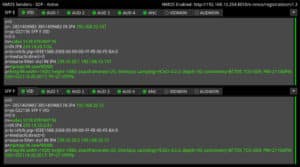
NMOS Sender SDP
- Display of the active sender SDP record
- User configurable colour highlighting for improved readability
- Display adapts with NMOS Dual or Single receiver configuration (Single shown)
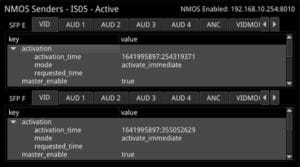
NMOS Sender IS-05
- Display of the active sender IS-05 parameters
- Individual tabs for the display of the IS-05 parameters for each generator and GUI sender flows
- Human readable tree view of the IS-05 JSON with expand/collapse for rapid nav
- Display adapts with NMOS Dual or Single receiver configuration (Single shown)
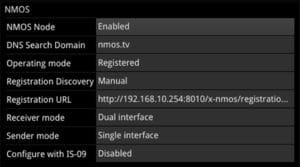
NMOS Setup
- Manual, mDNS or DNS-SD discovery of the Registry with DHCP
- Status reporting of registration and DNS domain
- Independent configuration of sender and receiver as single or dual NMOS endpoints
- NMOS node Enable/Disable
- IS-09 PTP Domain Enable/Disable
- Selectable NMOS endpoints
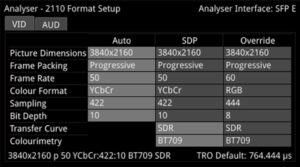
2110 Format Support
- At a glance comparison of auto-detected, SDP and manual format settings
- User-configurable video format parameters for ST 2110-20 flows
- User-configurable audio format parameters for ST 2110-30/31 flows includes packet time and channel count
- Automatic detection of audio format, channel count and packet time
Remote Control
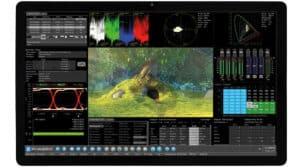
noVNC
- Browser remote access using noVNC technology to deliver 16 simultaneous scalable instruments over a remote network
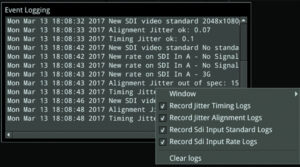
Event Logger
- SDI Input standard/status
- SDI physical layer timing and alignment jitter
- IP-Tx, IP-Rx, Flow and SFP records
- Reference Locking
- Audio input presence
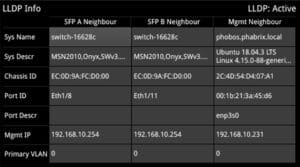
LLDP
- Identify port and device to which the LPX500 IP interfaces are connected
- Restrict information communicated over LLDP for IT security purposes
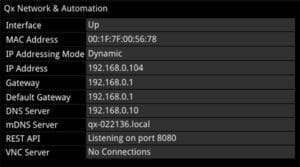
MGMT Interface Config
- Manual or Dynamic Addressing modes
- mDNS and DNS
- Select Default Gateway from Media or Management interfaces
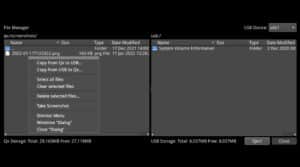
USB File Manager
- Copy presets, instrument logs, screenshots and user TIFF images to and from USB memory stick
- Delete selected files
Fast, automated 12G-SDI physical layer analysis
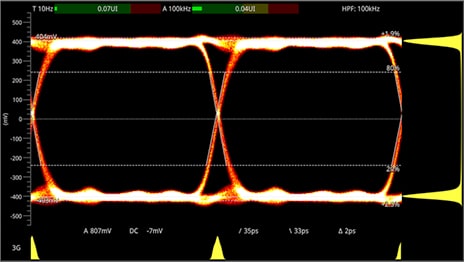
SDI Eye Analysis
- Real-Time Eye (RTE) for testing SMPTE compliance with indication of DC offset
- Automatic measurements of: DC level, amplitude, rise and fall time, rise/fall overshoot, visual rise time indication
- Amplitude and time histograms
- Single or multiple eyes with choice of color, heat-map overlay and infinite persistance
- Timing and Alignment jitter thermometers
- User-definable time measurement cursors
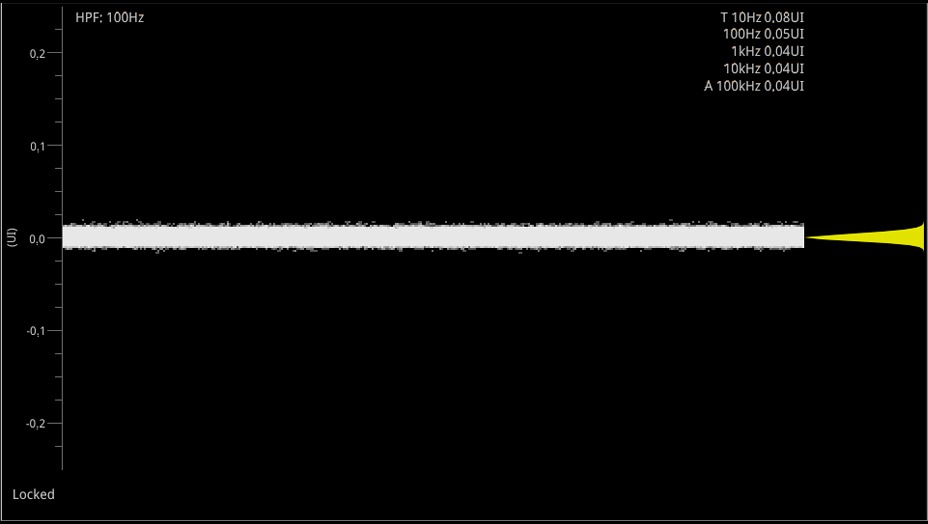
SDI Jitter Analysis
- Realtime SMPTE jitter measurements down to 10Hz
- 10Hz, 100Hz, 1kHz, 10kHz, 100kHz filters
- H, 2H, F, V Trigger
- Persistence control 'none' to 'infinite'
- Infinite persistence modes
- +/- 0.25 to +/- 64 UI vertical scale adjustment
- Jitter amplitude histogram
Audio and Video Generation
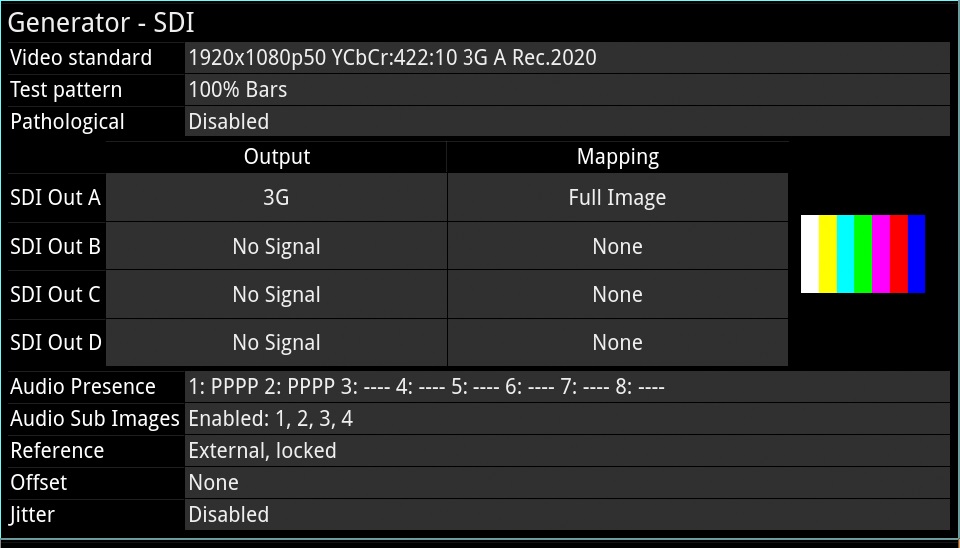
SDI Video Generation
- Confirms generated Video Standard and Test Pattern details
- BNC output, SFP output and sub-image/full image mapping information
- Moving test patterns (bouncing box)
- Import/display TIFF images
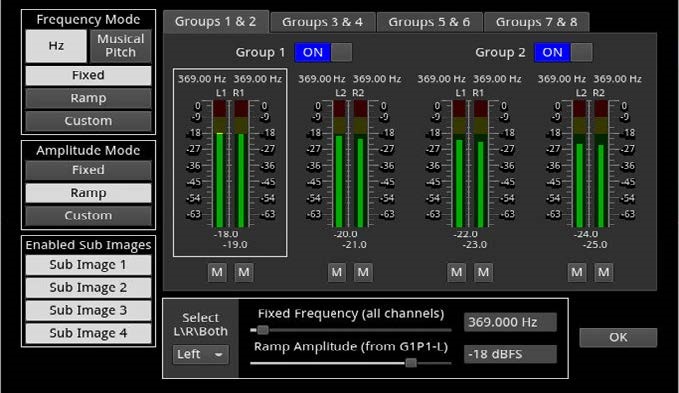
SDI Audio Generation
- Choice of fixed tones or chromatic scale – to help with channel identification
- Choice of fixed or ramp levels – to help with channel identification
- Custom config of number of active audio groups and channels
- Master gain control
- ST 2022-6: 32 channel audio generation can be replicated in all sub frames providing a total of up to 64 channels
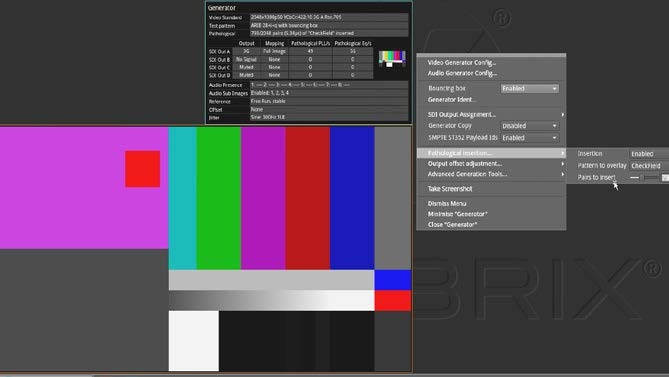
SDI Pathological Generation
- Conventional SDI pathological stress patterns, Eq, PLL and CheckField
- New proposed SMPTE combined pathological stress pattern: Eq + PLL + Color Bars + Clock
- Define a percentage combination of SMPTE or SDI pathological and conventional patterns up to full frame

2110 Video/ANC Generation
- 2110: Generate ST 2110/2022-7 Test Signals as a flow
- 2110: Monitor (GUI) as a flow
- 2110-20: 2K/HD, 4K/UHD video flow generator (422/444, YCbCr/RBG, 10/12-bit)
- 2110-40: 1 x ANC flow generator
- Timecode Generator ATC_LTC, ATC_VITC, locked to PTP or Local Time with Jam Sync and Drop Frame, VITC1/2 Reverse and signaling of SDI Line number and H Offset
- Import of TIFF images
- Bouncing Box pattern movement
- ST 2110-20 eUHD 47.95-60p RGB YCbCr 444 formats [LPX500-EUHD]
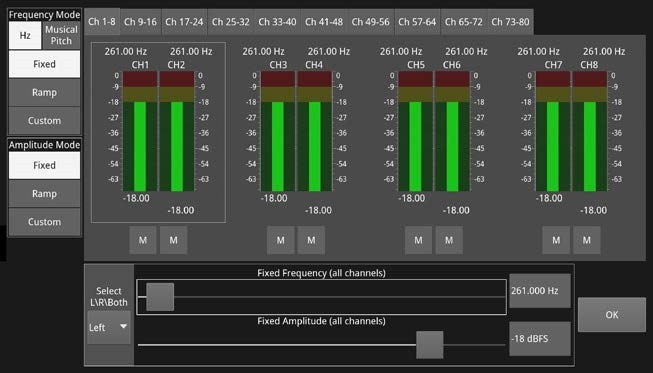
2110 Audio Generation
- 2110: Generate up to four ST 2110/2022-7 audio flows
- 2110-30/31: Up to:
- 80 audio channels 2110-30 at 125μs
- 60 audio channels 2110-31 at 125μs
- 10 audio channels 2110-30 at 1ms
- 7 audio channels 2110-31 at 1ms
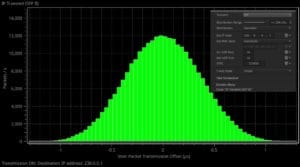
IP Transmit (ST 2022-6)
- Evaluate the ability of a receiver to handle a ST 2022-6 flow with jitter
- Configuration of Transmission flow addresses, port numbers and SSRC
- Inter-packet jitter onto outgoing flow
- Gaussian or uniform distribution
- Flow control on/off
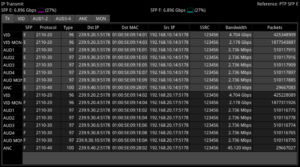
IP Transmit - Tx Status
- At a glance status overview of all flows being encapsulated and transmitted
- Simultaneously transmit two different types of flow from the unit: Generator Flows and Monitor (GUI) Flows
- Displays a summary of the current status of all selected generator / monitor video, audio and ancillary flows being transmitted
- Use this tab as an overview of all flows actively being transmitted from the unit, together with the active PTP reference and an indication of bandwidth used by each stream and the total bandwidth used on each interface
- Displays the current information about the test pattern VID, AUD, ANC and monitor VID and AUD flows
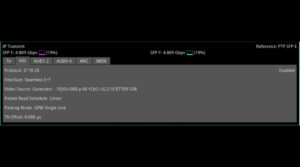
IP Transmit - VID, AUD1-2, AUD3-4, ANC, MON Status
- The VID tab displays the active settings for the Video Generator: Protocol, Interface, Video Source, Packet Read Schedule, Packing Mode, TR Offset
- The AUD1-2, AUD3-4 tabs shows the active settings for the transmitted audio flows: Protocol, Packet Time, Channels, Audio Source
- The ANC tab displays the active settings for the Video Generator flows: Protocol, Interface, Packet Packing, Keep Alive, Timecode, TR Offset
- The MON tab displays the active settings for transmission of the Monitor flows: Protocol, Interface, Video Source, Packet Read Schedule, Audio Source, Packet Time, Channels,
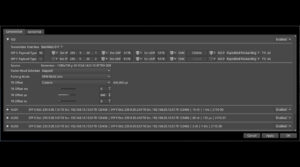
Transmission Configuration
- List of available flows in an expandable list
- Each minimized flow provides a single line summary of the current settings for information
- Configure the VID, AUD1, AUD2, AUD3, AUD4 Generator Flows
- Configure the VID MON, AUD MON Monitor flows
- 2110-20: Gapped/Linear Packet Read Schedule, BPM/GPM Packing Mode
- SDI/Egress Time Stamp, user control of TR Offset
- 2110-40 ANC, Keep Alive and ATC-LTC or ATC-VITC Timecode locked to PTP or Local Time
4K/UHD ST 2110 Extended Format Support
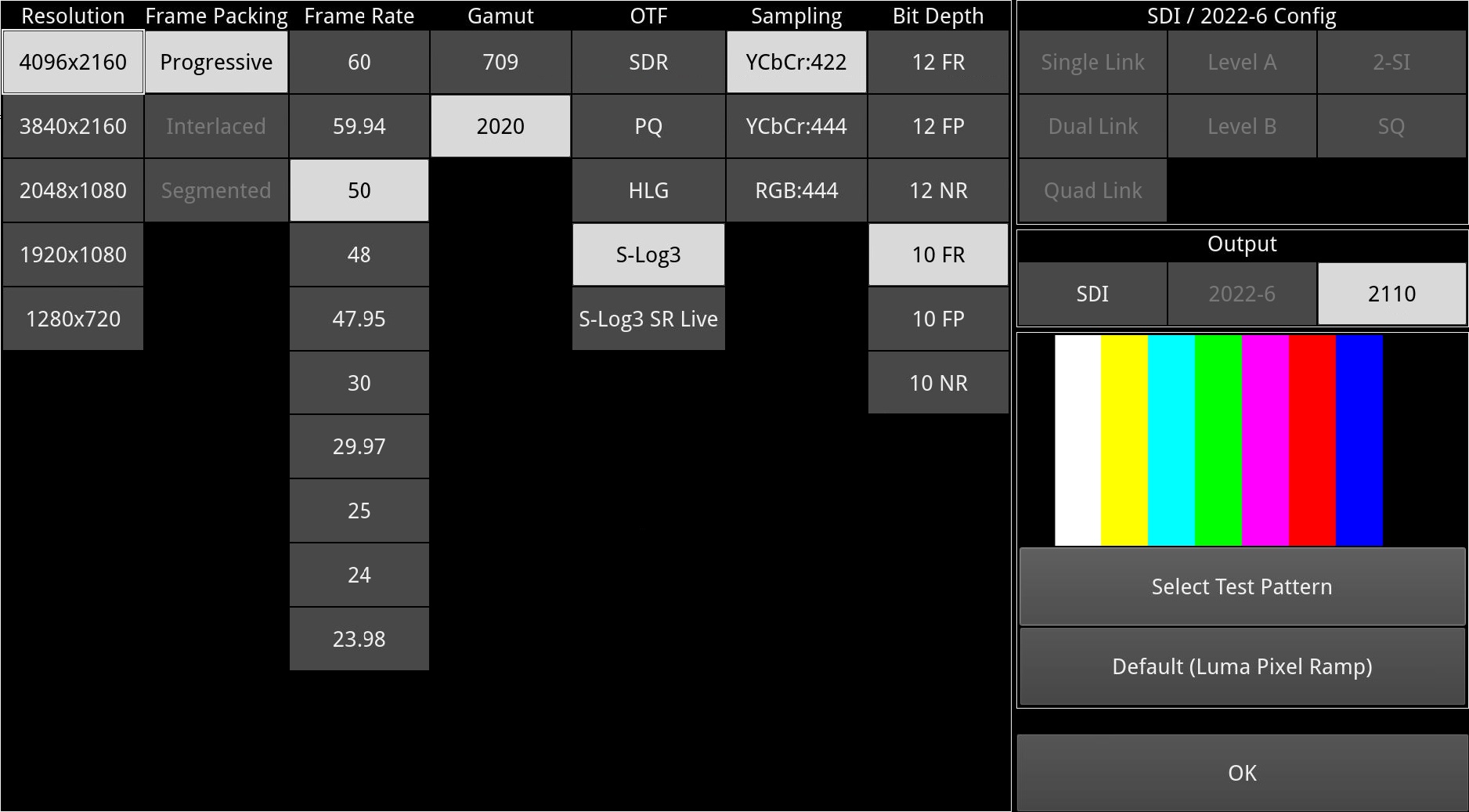
EUHD Format Support
- Analysis of 2110-20 flows at UHD/4K 444 (RGB/YCbCr) 8/10/12 bit 47.95P-60P
- 4K60P RGB:12 Mean bandwidth approx. 20Gbps (equivalent to a peak bandwidth of around 21Gbps for a gapped flow)
High Dynamic Range (HDR) visualization & analysis

False Color Highlighting
- Programmable ‘Heat Map’ to highlight luminance zones providing quick identification of shadows, skin or mid-tones or specular highlights
- 7 simultaneous programmable color overlay bands
- Presets for HDR and SDR ranges plus user custom

Analyzer: CIE Chart
- CIE 1931 x,y display
- Single line mode linked to picture cursor
- Pan and zoom
- ITU-R BT. 709, BT. 2020 and ST 2086 gamut overlays
- Tooltip co-ordinate display
- Support for BT. 1886, BT. 2100 HLG and PQ, Sony S-Log3, SR Live
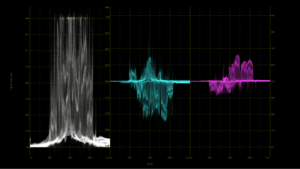
HDR Waveform
- Waveform HDR graticules with Nits (Cd/m2)
- BT. 2408 diffuse white markers
- Support for BT. 1886, BT. 2100 HLG and PQ, Sony S-Log3, SR Live
RGB Vector including Diamond display
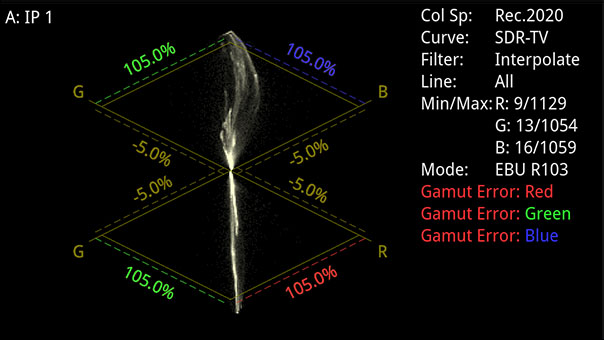
RGB Vector Display
- Monitor gamut violations
- Support for both RGB vector and split RGB vector views
- Switchable display modes between raw and interpolate. Raw displays the individual pixel dot values, interpolate joins adjacent pixels with a line
- Selectable EBU R103 low pass horizontal filtering
- Configurable alarms for gamut violations including alarms for exceeding 1% EBU
- R103, percentage of pixel area and lower / upper gamut threshold levels
Specifications
Formats Supported
| Specification | Value |
|---|---|
| ST 2110-20/-30/-31/-40 / 2022-7 / 2022-6 Analysis over 10G Ethernet | Standard |
| ST 2110-20/-30/-31/-40 / 2022-7 / 2022-6 Analysis over 25G Ethernet | Optional |
| ST 2110-20/-30/-31/-40 / 2022-7 / 2022-6 Analysis over 100G Ethernet | Optional |
| ST 2110-20/-30/-31/-40 / 2022-7 / 2022-6 Generation | Optional |
| SDI IO | Factory Option |
| 270M / 1.5G / 3G-SDI HD / SD Analysis | Factory Option |
| 1.5G / 3G-SDI HD Generation | Optional |
| 1.5G / 3G / 6G / 12G-SDI UHD Over SDI | Optional |
| 25G IP Link Rates Over SFP28 | Optional |
| 100G IP Link Rates Over QSFP28 | Optional |
Hardware and Software Options Supported
| Specification | Value |
|---|---|
| Audio/Video Generator (SDI, ST 2022-6, ST 2110) | Optional |
| RTE™ Real-Time Eye input (12G/6G/3G/HD/SD-SDI) x 1 (SDI in 1) BNC | Factory Option |
| UHD/4K Upgrade | Optional (SDI, 2110) |
| Data View Analyzer with ANC Inspector | Standard |
| 32 Channel Audio Metering and 5.1/2.0 Loudness Measurement | Standard |
| 64 Channel Audio Metering and 5.1/2.0 Loudness Measurement | Optional (Requires LPX500-Quad) |
| HDR/WCG Support | Optional |
| ST 2022-6, ST 2110/20/30/31/40 Decap with Class C Audio, ST 2022-7, Single PTP | Standard |
| ST 2110-20/30/31/40 Generator Toolset with Class C Audio, ST 2022-7 | Optional |
| EUHD Formats over 25G 2110-20 | Optional |
SDI Inputs/Outputs
| Specification | Value |
|---|---|
| 4 x SDI inputs, SD / HD / 3G / 6G / 12G, 75 ohm terminated BNC | Factory Option |
| 4 x SDI outputs, HD / 3G / 6G / 12G, 75 ohm BNC | Factory Option |
Ethernet IP inputs/outputs (accepts generic SFPs)
| Specification | Value |
|---|---|
| 2 x SFP28, supporting 10G (standard) and 25G cages (optional) | Standard (25G license optional) |
| 2 x QSFP28 100G cages | Standard (100G license optional) |
Audio Inputs/Outputs
| Specification | Value |
|---|---|
| 2 channel 48 kHz PCM audio on DisplayPort and SDI Instrument output | Standard |
User Interface
| Specification | Value |
|---|---|
| Integrated 1920 x 1200 8 inch LCD multitouch touchscreen | Standard |
| USB-C DisplayPort Alt Mode for secondary 8-inch touchscreen | Optional |
| DisplayPort instrument output, 1920 x 1080, 4:4:4 RGB, Type A* | DisplayPort |
| SDI 3Gbit instrument out, 1920 x 1080, 4:2:2 YCbCr* | BNC |
| ST 2110-20, ST 2110-30 instrument out, 1920 x 1080, 4:2:2 YCbCr* | Standard |
| Remote Browser GUI access (noVNC)* | Standard |
Reference
| Specification | Value |
|---|---|
| 1 x 75 ohm BNC reference input, tri-level or B&B with cross lock | Standard |
Networking & Control
| Specification | Value |
|---|---|
| 10/100/1000 BASE-T | Standard |
| Leader Remote Interface (15 pin high-density D-Type socket) | Standard |
Audio Monitoring
| Specification | Value |
|---|---|
| Headphone Socket (3.5mm) | Standard |
Form factor
| Specification | Value |
|---|---|
| LPX500 Size (Width x Height x Depth – Excluding Display Bezel) | 210mm x 127.3mm x 150 mm |
| LPX500 Size (Width x Height x Depth – Including Display Bezel) | 220mm x 133mm x 153mm |
| LPX500 Weight | 3.6KG |
| LPX500 Extended Monitor Size (Width x Height x Depth – Excluding Display Bezel) | 210mm x 127.3mm x 47mm |
| LPX500 Extended Monitor Size (Width x Height x Depth – Including Display Bezel) | 220mm x 133mm x 75mm |
| LPX500 Extended Monitor Weight | 1.4Kg |
Electrical
| Specification | Value |
|---|---|
| 4 pin XLR DC power connector | 12v – 16v, Typ. 85W, Max. 120W |
| Internal AC power supply with IEC connector | 100-240 VAC, Typ. 77W, Max. 110W |
Warranty
| Specification | Value |
|---|---|
| Warranty (1 year) | Standard |
| Extended Warranty (3 – 5 years) | Optional |
Ordering information
LPX500 Chassis
| Code | Description |
|---|---|
| LPX500I | 3U SD/HD/2K 10GbE IP Waveform Monitor/Analyser |
| LPX500IS | 3U SD/HD/2K 10GbE IP/SDI Waveform Monitor/Analyzer |
| LPX500ISE | 3U SD/HD/2K 10GbE IP/SDI Waveform Monitor/Analyzer, Eye/Jitter |
LPX500 Chassis Upgrade (Return to Factory)
| Code | Description |
|---|---|
| LPX500M-IS | LPX500 SDI/IO Return to factory upgrade (requires LPX500I) |
| LPX500M-ISE | LPX500 SDI Eye/jitter Return to factory upgrade (requires LPX500IS) |
Hardware Option
| Code | Description |
|---|---|
| LPX500-EM | Extended Monitor providing a secondary screen |
Software Options for SDI/IP
| Code | Description |
|---|---|
| LPX500-GEN | SDI/IP AV Test Signal Generator (SDI requires LPX500IS or LPX500ISE) |
| LPX500-UHD | 2K Extended + UHD/4K IP/SDI (SDI requires LPX500IS or LPX500ISE) |
| LPX500-HDR | HDR/WCG, CIE1931, HDR Heat map (PQ, HLG, S-Log3, SR Live) |
| LPX500-QUAD | Display 4 inputs simultaneously |
| LPX500 – DIAM | RGB Vector including Diamond display |
Software Options for IP
| Code | Description |
|---|---|
| LPX500-IP-25G | 25GbE media network (requires 2x PHSFP-25GE-SR or 2x PHSFP-25GE-LR) |
| LPX500-IP-100G | 100GbE media network (requires 2x PHSFP-100GE-SR or 2x PHSFP-100GE-LR) |
| LPX500-IP-EUHD | Add RGB, 12b, 444, 48-60Hz formats to ST2110 (requires LPX500-UHD) |
LPX500 Fitting Kits
| Code | Description |
|---|---|
| LPX500-K1 | 3U 19 inch rackmount kit (1x LPX500 Chassis. Includes blank panel.) |
| LPX500-K2 | 3U 19 inch rackmount kit (Fits 2x LPX500 Chassis, or 1 LPX500 paired with 1 LPX500-EM.) |
| LPX500-K3 | LPX500 desktop kit (Carry case & Feet)* |
Cables
| Code | Description |
|---|---|
| PHQXC-1 | 12G-SDI Eye measurement test cable 1m |
SFP Accessories
| Code | Description |
|---|---|
| PHSFP-10GE-SR | SFP+ 10GBASE-SR Ethernet MM 850nm 300m |
| PHSFP-10GE-LR | SFP+ 10GBASE-LR Ethernet SM 1310nm 10km |
| PHSFP-25GE-SR | SFP28 25GBASE-SR Ethernet MM 850nm 100m |
| PHSFP-25GE-LR | SFP28 25GBASE-LR Ethernet SM 1310nm 10km |
| PHSFP-100GE-SR | QSFP28 100GBASE-SR4 Ethernet MM 850nm 100m |
| PHSFP-100GE-LR | QSFP28 100GBASE-LR4 Ethernet SM 1310nm 10km |
Qx Extended Warranty
| Code | Description |
|---|---|
| LPX500I-3YEAR | LPX500I Upgrade from 1 to 3 Year Warranty (excludes SFP) |
| LPX500I-5YEAR | LPX500I Upgrade from 1 to 5 Year Warranty (excludes SFP) |
| LPX500IS-3YEAR | LPX500IS Upgrade from 1 to 3 Year Warranty (excludes SFP) |
| LPX500IS-5YEAR | LPX500IS Upgrade from 1 to 5 Year Warranty (excludes SFP) |
| LPX500ISE-3YEAR | LPX500ISE Upgrade from 1 to 3 Year Warranty (excludes SFP) |
| LPX500ISE-5YEAR | LPX500ISE Upgrade from 1 to 5 Year Warranty (excludes SFP) |


